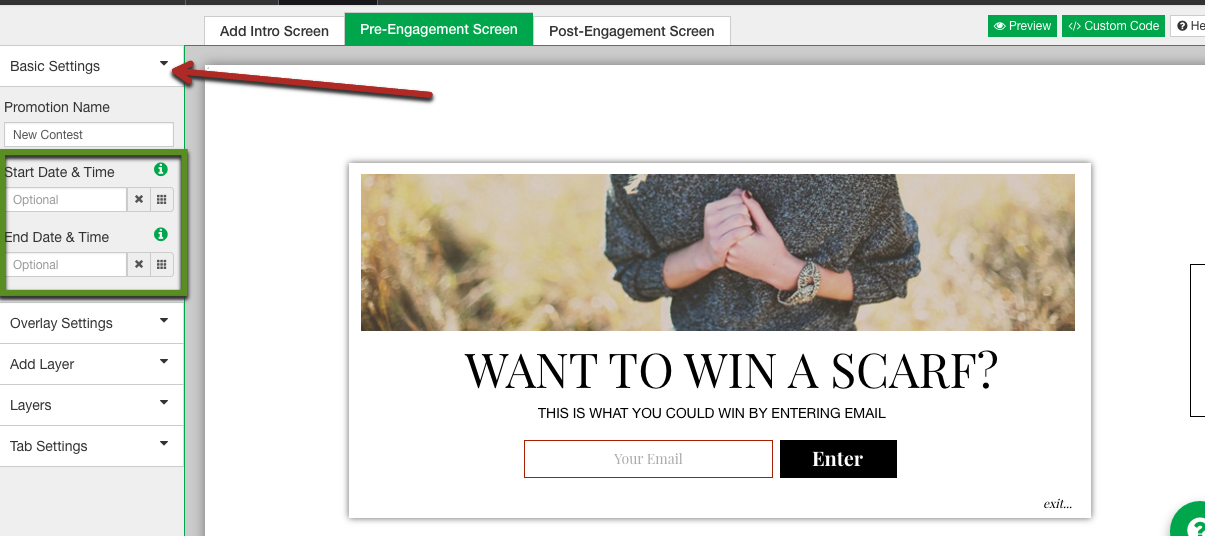
Where can I edit my Promotions date and time?
Caution: Please be aware, load times for Justuno will be affected if you have more than 100 promotions in your account. Please delete or archive promotions you no longer use.
When you are in the design canvas, head to the left side and find "Basic Settings". Under that drop down menu you will find the date and time!